Finding the best monitors for TV use used to mean buying a regular computer screen and bolting on a streaming stick. That has changed. In 2026, smart monitors arrive with full TV operating systems built directly into the panel, so you can open Netflix, YouTube, or Disney+ without ever connecting a PC, console, or external box.
I spent the last several weeks testing 10 of the most popular smart monitors that double as television screens, ranging from a $179 ViewSonic IPS panel to a $699 Samsung with a rolling stand. My goal was simple: find displays that handle movie night, casual streaming, and productivity work without forcing you to switch devices. Some of these monitors pulled double duty on my desk for work and on my wall for evening shows.
So, what is the best monitor to use as a TV? For most buyers in 2026, I recommend the LG 34SR63QA-W ultrawide because its webOS platform, AirPlay 2 support, and 100Hz panel make it equally strong for streaming and side-by-side work. If you want a pure budget pick, the KTC 32-inch 4K Smart Monitor delivers Google TV with Netflix licensing at under $230. And the Samsung Smart Monitor M8 remains the most complete all-in-one smart monitor for TV use thanks to Samsung TV Plus and the Gaming Hub.
Below, I break down every monitor I tested, what each one does well, and which type of viewer should buy it. Whether you want a 43-inch smart monitor to replace a bedroom TV, a portable rolling display for moving between rooms, or a budget 4K screen for streaming, this guide covers it.
Our Top 3 Smart Monitors for TV Watching in 2026



The LG ultrawide wins on versatility because it genuinely functions as a TV and a wide productivity panel at the same time. The Samsung M8 has the deepest smart feature set with AI upscaling. The KTC lands as my budget pick thanks to a verified 4.5-star rating across more than 1,500 reviews and a Google TV interface with proper Netflix licensing.
Comparing All 10 Best Monitors for TV in 2026
| Product | Specs | Action |
|---|---|---|
| LG 34 inch Smart Curved Monitor |
|
Check Latest Price |
| Samsung Smart Monitor M8 (M80F) |
|
Check Latest Price |
| KTC 32in 4K Smart Monitor |
|
Check Latest Price |
 Samsung 43in M7 (M70D) Smart Monitor Samsung 43in M7 (M70D) Smart Monitor |
|
Check Latest Price |
 Dell S3225QS 32 Plus 4K Monitor Dell S3225QS 32 Plus 4K Monitor |
|
Check Latest Price |
 LG 32UR500K-B 4K UHD Monitor LG 32UR500K-B 4K UHD Monitor |
|
Check Latest Price |
 LG 34in Curved UltraWide Smart Monitor LG 34in Curved UltraWide Smart Monitor |
|
Check Latest Price |
 Samsung Movingstyle Essential 32in Samsung Movingstyle Essential 32in |
|
Check Latest Price |
 Samsung 27in M5 (M50F) Smart Monitor Samsung 27in M5 (M50F) Smart Monitor |
|
Check Latest Price |
 ViewSonic VX3276-MHD 32in IPS ViewSonic VX3276-MHD 32in IPS |
|
Check Latest Price |
This table covers every monitor I tested with the key specs that matter most for TV viewing: panel resolution, smart platform, refresh rate, and connectivity. Read on for the full breakdown of each model.
1. LG 34SR63QA-W Smart Curved Monitor – Best Ultrawide for Streaming and Work
LG 34SR63QA-W 34 inch Smart Curved Monitor with Streaming TV, QHD 1440p, UltraWide Screen, USB Type-C 65W PD, 1800R, webOS, HDR10, 100Hz, Built-in Speaker, AirPlay2, Screen Share, Bluetooth, White
34in QHD 1440p
21:9 Ultrawide
100Hz
webOS Smart TV
USB-C 65W PD
Pros
- webOS with Netflix
- Prime Video
- Disney+
- 100Hz smooth for streaming and casual gaming
- AirPlay 2 and HomeKit integration
- 99% sRGB color gamut
- USB-C 65W PD charges laptop while streaming
Cons
- Some apps don't fill ultrawide screen
- Docking station compatibility issues reported
The LG 34SR63QA-W became my favorite smart monitor for TV use during testing because it is the only one that genuinely felt like two products in one. During the day, the 21:9 ultrawide VA panel lets me keep three windows side by side for productivity. In the evening, I open webOS directly from the monitor and stream Prime Video or Disney+ without ever plugging in a laptop.
The 100Hz refresh rate makes a noticeable difference even for TV content. Fast camera pans in action movies look cleaner than they do on a typical 60Hz smart monitor, and motion smoothing feels more natural. At 34 inches, it is large enough for sofa-distance viewing in a small room but compact enough to sit on a desk.
The USB-C port with 65W power delivery is the headline feature for hybrid workers. I dock my laptop with a single cable that handles video, data, and charging simultaneously. Then I swap to webOS in the evening for streaming without reconnecting anything.
webOS Smart TV Performance
LG’s webOS platform is one of the more polished smart TV operating systems, and it runs natively on this monitor. Netflix, Prime Video, Disney+, YouTube, and most major streaming apps launch quickly from the home screen. The interface feels closer to a real LG OLED TV than to a monitor bolt-on.
AirPlay 2 and HomeKit support means iPhone and iPad users can mirror content wirelessly without any third-party app. I streamed a movie from my iPad to the monitor and it stayed perfectly in sync with no lag.
Display Quality and Curvature
The 1800R curvature on this VA panel is gentle enough not to distort rectangular content but pronounced enough to wrap around your field of view at desk distance. HDR10 support is present, though peak brightness of 300 nits means HDR content does not pop the way it would on a mini-LED or OLED display.
The 99% sRGB color gamut keeps colors accurate for both streaming and light photo editing. Contrast sits at 3000:1, which is solid for a VA panel and produces deep blacks in dark scenes.
Who Should Buy This
This is the best monitor for TV viewing if you split your time between work and entertainment. Remote workers, content creators, and small-apartment dwellers who want one display for everything will get the most value here. Skip it if you want a true 4K picture for movies, since this is a 1440p ultrawide.
2. Samsung Smart Monitor M8 (M80F) – Best All-in-One Smart Monitor for TV
Samsung 32” M8 (M80F) Series 4K UHD Smart Monitor
32in 4K UHD
Samsung Vision AI
Smart TV Apps
Gaming Hub
USB-C 65W
Pros
- True 4K UHD resolution for sharp streaming
- Samsung TV Plus free channels built in
- Gaming Hub streams games without console
- AI Picture Optimizer enhances lower-res content
- Slim adjustable design
Cons
- Sound quality average
- Slim design with adjustable stand
- Only one HDMI port
- USB-C ports may fail after extended use
The Samsung Smart Monitor M8 (M80F) is the most complete smart monitor I tested for buyers who want a single screen that replaces both a TV and a desktop monitor. At 32 inches with a full 4K UHD panel, it delivers the pixel density needed for sharp streaming, and Samsung’s Tizen smart TV platform runs natively without any external box.
What sets the M8 apart is Samsung Vision AI. The monitor analyzes incoming content and adjusts sharpness, contrast, and color in real time. For lower-resolution YouTube videos or older TV shows, the AI upscaling genuinely improves perceived clarity compared to a standard 4K monitor with no processing.
The Gaming Hub is the other standout feature. You can stream Xbox Cloud Gaming, GeForce Now, and other cloud services directly from the monitor with no PC or console attached. I tested it with a Bluetooth controller and the experience was smooth on a strong Wi-Fi connection.
Samsung Vision AI and Smart TV Apps
Tizen on the M8 includes Samsung TV Plus, which gives you free ad-supported channels alongside the standard streaming apps. I found this genuinely useful for background viewing and news. The app library matches what you would find on a Samsung smart TV, not a stripped-down monitor version.
The Vision AI upscaling works best with sub-4K content. I streamed 1080p movies and the M8 made them look noticeably cleaner than the same stream on a non-AI monitor. For native 4K content, the processing is less obvious but still helps with shadow detail.
Design, Ports, and Ergonomics
The M8 has a slim white chassis with a height-adjustable stand that tilts and pivots. The 16:9 form factor at 32 inches feels like a small TV on a desk. USB-C with 65W power delivery handles laptop charging, and there is also HDMI and USB-A for legacy devices.
The main weakness is the single HDMI port. If you want to connect both a game console and a streaming stick, you need a switch or hub. Some users have also reported USB-C port failures after long-term use, so check warranty coverage.
Who Should Buy This
The M8 is the best monitor for TV and computer use if you want a no-compromise smart display that replaces a separate television. It is ideal for studio apartments, dorm rooms, and home offices where space is limited. Skip it if you need multiple HDMI inputs or high-end speakers.
3. KTC 32-Inch 4K Smart Monitor – Best Budget 4K Smart Monitor with Google TV
KTC 32 Inch 4K Smart Monitor, Google System UHD (3840x 2160) A32Q8
32in 4K UHD
Google TV
Netflix Licensed
Type-C 65W PD
Hey Google
Pros
- 4K UHD at a budget price
- Google TV platform with full app store
- Netflix officially licensed
- Type-C 65W PD charging
- Hey Google voice remote included
- 1530+ reviews at 4.5 stars
Cons
- 60Hz refresh rate only
- 5ms response time not ideal for fast gaming
- Some connectivity limitations
The KTC 32-inch 4K Smart Monitor shocked me during testing because it offers Google TV with full Netflix licensing at a price that undercuts Samsung and LG by more than $100. With over 1,500 reviews and a 4.5-star average, this is one of the highest-rated budget smart monitors available in 2026.
The Google TV interface is the same one you find on premium Sony and TCL televisions. That means every major streaming app works properly, including Netflix, which requires certification that many no-name smart monitors lack. The included Hey Google voice remote lets you search by voice and control smart home devices.
At its price point, you make some trade-offs. The panel is 60Hz rather than 120Hz, and the 5ms response time is not competitive for fast-paced gaming. But for TV watching, movie streaming, and casual cloud gaming, those numbers are perfectly fine.
Google TV Experience and Streaming Apps
Google TV is the strongest argument for this monitor. The home screen pulls recommendations from all your streaming subscriptions into one feed, so you see what to watch next without opening each app individually. Netflix, Prime Video, Disney+, Hulu, YouTube TV, and most other major apps are all officially supported and certified.
The Hey Google voice remote works well for searching content and controlling playback. I asked it to play specific shows and it pulled them up correctly across multiple services. Chromecast built-in lets you cast from any Android phone or Chrome browser.
Display Quality and Built-in Audio
The VA panel delivers 4K UHD resolution with a 3000:1 contrast ratio, which is good for a budget monitor. Blacks look deep in dark rooms, and the 99% color gamut keeps colors saturated for animated content and sports. The 300-nit brightness is adequate for indoor viewing but struggles in direct sunlight.
The 2x5W built-in speakers with Dolby Audio are surprisingly loud for a budget monitor. They are not audiophile quality, but for casual TV watching in a bedroom or small office, you do not strictly need external speakers. VESA mount support means you can wall-mount it like a small TV.
Who Should Buy This
The KTC is the best budget monitor for watching TV shows and movies if you want full 4K and a proper smart TV platform without paying Samsung or LG prices. It is perfect for bedrooms, kids’ rooms, secondary streaming setups, and anyone on a tight budget. Skip it if you want 120Hz gaming or premium HDR performance.
4. Samsung 43-Inch M7 (M70D) Smart Monitor – Best Large Smart Display
SAMSUNG 43-Inch M7 (M70D) Series 4K UHD Smart Monitor, Speakers, HDR10, USB-C, Multiple Ports, Gaming Hub, SolarCell Remote, Vision Accessibility Tools, LS43DM702UNXGO, Black
43in 4K UHD
Tizen Smart TV
Gaming Hub
SolarCell Remote
Microsoft 365
Pros
- Largest screen size in this roundup at 43 inches
- 4K UHD resolution on a TV-sized panel
- SolarCell remote charges with light
- Gaming Hub for cloud gaming
- Microsoft 365 built in for productivity
- Vision accessibility tools
Cons
- Glossy screen reflects ambient light
- Built-in speakers are basic
- Limited stock availability
The Samsung 43-inch M7 (M70D) blurs the line between monitor and television more than anything else in this guide. At 43 inches with full 4K UHD resolution, it is the same size as a small TV but designed to sit on a desk or mount like a monitor. For buyers who want a single large display for both TV viewing and computer work, this is the most direct option.
The M70D uses Samsung’s Tizen smart TV platform, so the streaming experience matches a Samsung television. The included SolarCell remote is a standout feature: it charges with ambient light and never needs disposable batteries, which is genuinely eco-friendly.
Vision accessibility tools built into the M70D make it notable for users with low vision. These include zoom, high contrast modes, and voice guidance. Few monitors in this price range offer comparable accessibility features.
43-Inch Panel as a TV Replacement
At 43 inches, the M70D crosses into actual TV territory. I found it most comfortable for sofa-distance viewing in a small living room or bedroom. At a typical desk distance of two feet, 43 inches feels overwhelming for productivity work, so consider where you will place it.
The glossy screen finish is the main drawback. In a bright room with windows, reflections are clearly visible. Samsung includes a Super Ultrawide GameView mode that lets you run games at 21:9 or 32:9 aspect ratios, which is useful if you also use this as a gaming display.
Productivity and Connectivity
Beyond streaming, the M70D includes Microsoft 365 integration, so you can edit Word and Excel documents directly in the monitor without a PC. The Auto Source Switch+ feature detects which input is active and switches automatically, which is handy when moving between devices.
Connectivity covers USB-C, HDMI, and USB-A. The 5000:1 contrast ratio on the VA panel produces deep blacks for movie watching, and 300 nits of brightness is fine for most indoor setups.
Who Should Buy This
The Samsung M7 is the best monitor for TV if you want a true TV-sized display that also functions as a computer monitor. It is ideal for small apartments where one 43-inch panel replaces both a TV and a desktop monitor. Skip it if you need a matte screen for a bright room or want high-end speakers.
5. Dell S3225QS 32 Plus 4K Monitor – Best for Productivity and Casual Streaming
Dell 32 Monitor S3225QS, 4K UHD VA, 120Hz, FreeSync Premium, Eye Comfort
32in 4K
120Hz
0.03ms Response
FreeSync Premium
99% sRGB
Pros
- Up to 120Hz refresh rate at 4K
- Ultra-low 0.03ms response time
- AMD FreeSync Premium
- 99% sRGB and 95% DCI-P3 color
- ComfortView Plus blue light reduction
- Built-in speakers
Cons
- No smart TV platform
- Limited to 2 HDMI ports
- No USB-C charging
The Dell S3225QS is not a smart monitor in the streaming-app sense, but it earned a place in this roundup because it is one of the best 4K displays you can pair with a streaming stick or PC for TV-style viewing. The 120Hz refresh rate and 0.03ms response time make it uniquely suited for buyers who want both smooth TV content and competitive gaming on the same screen.
Dell’s ComfortView Plus technology reduces harmful blue light without distorting color, which matters if you watch TV or work for long sessions. The 99% sRGB and 95% DCI-P3 color coverage means movies display with accurate, vibrant colors out of the box.
This is a display for buyers who already own a streaming device like a Fire Stick, Apple TV, or Roku. Plug it into one of the two HDMI ports and the Dell becomes a sharp 4K television that also doubles as a high-performance monitor.
120Hz Refresh Rate for TV and Gaming
The standout spec here is the 120Hz refresh rate at full 4K resolution. Most smart monitors in this price range cap at 60Hz. The higher refresh rate smooths motion in sports broadcasts, action movies, and especially games. AMD FreeSync Premium further reduces screen tearing when paired with a compatible GPU.
The 0.03ms response time is exceptional and comparable to gaming-specific monitors. For buyers who play fast-paced competitive games in addition to watching TV, this is the most capable all-around display in the guide.
Color Accuracy and Comfort Features
The VA panel covers 99% sRGB and 95% DCI-P3, which puts it ahead of most budget smart monitors for color accuracy. I tested it with both movies and photo editing work, and the color reproduction was consistent and trustworthy. The 1500:1 contrast ratio is slightly lower than other VA panels here but still produces satisfying depth in dark scenes.
ComfortView Plus is more than a marketing label. The blue light reduction is hardware-level, meaning colors stay accurate even with the filter active. I noticed less eye fatigue after long viewing sessions compared to standard monitors.
Who Should Buy This
The Dell S3225QS is the best 4K monitor for TV and gaming if you want premium performance and already own a streaming stick or PC. It is perfect for buyers who play competitive games, watch live sports, and want a single high-performance display. Skip it if you want built-in smart TV apps or USB-C charging.
6. LG 32UR500K-B 4K UHD Monitor – Best Value 4K for Multimedia
LG 32UR500K-B Ultrafine 32-inch 4K UHD (3840×2160) Computer Monitor HDR10 Built-in Speaker x2 OnScreen Control Reader Mode Flicker Safe Borderless Design HDMIx2 DisplayPort Black
32in 4K UHD
HDR10
DCI-P3 90%
Waves MaxxAudio
Flicker Safe
Pros
- 32-inch 4K UHD at competitive price
- HDR10 with 90% DCI-P3 color gamut
- Built-in stereo speakers with Waves MaxxAudio
- Dynamic Action Sync for low input lag gaming
- Black Stabilizer for dark scenes
- Flicker Safe and Reader Mode
Cons
- No smart TV apps
- No USB hub
- Not height adjustable on base model
The LG 32UR500K-B is the value champion among non-smart 4K monitors in this roundup. It delivers a clean 32-inch 4K UHD panel with HDR10 support, solid built-in audio, and a 4.5-star rating across more than 550 reviews. Pair it with a $30 streaming stick and you have a capable TV-style setup for less than the cost of most smart monitors.
What impressed me most was the out-of-box color reproduction. The VA panel covers up to 90% DCI-P3, which means HDR content displays with richer colors than typical budget 4K monitors. The Waves MaxxAudio stereo speakers are louder and fuller than I expected from built-in monitor speakers.
This is a bare-bones monitor in the best way. There is no smart TV platform, no AI processing, and no premium stand. What you get is a high-quality 4K panel that does exactly what it claims.
Display Quality and HDR Performance
The 32-inch VA panel runs at native 4K UHD (3840×2160) with HDR10 support. At 32 inches, the pixel density is high enough that text looks crisp and 4K movies display at their full resolution. The 90% DCI-P3 color gamut puts it ahead of the 72% panels found in cheaper monitors.
LG includes several gaming-focused features that also help with TV viewing. Dynamic Action Sync reduces input lag, Black Stabilizer brightens dark scenes so you can see shadow detail in movies, and the crosshair overlay is useful if you also game. None of these affect everyday streaming, but they add versatility.
Audio, Connectivity, and Ergonomics
The built-in stereo speakers with Waves MaxxAudio are the surprise highlight. They are not replacement for a soundbar, but for casual TV watching in a bedroom or office they are more than adequate. Most monitors in this price range ship with tinny single speakers; LG included a genuine stereo pair.
Connectivity includes two HDMI ports and one DisplayPort, plus a headphone jack. The stand tilts but does not offer height adjustment on the base model, so consider a VESA mount if ergonomics matter. There is no USB hub, which is a notable omission at this price.
Who Should Buy This
The LG 32UR500K-B is the best value 4K monitor for TV watching if you already own a streaming stick, Fire TV, or Apple TV. It is perfect for buyers who want quality over smart features and are comfortable adding their own streaming device. Skip it if you need built-in smart apps or want a height-adjustable stand out of the box.
7. LG 34-Inch Curved UltraWide Smart Monitor (34SR65QC-B) – Best for Immersive Streaming
LG 34″ Curved UltraWide WQHD(3440×1440) Smart Monitor with HDR10 99% sRGB, 100Hz, Magic Remote, AirPlay 2 & Adjustable Stand, webOS
34in WQHD Curved
webOS23
Magic Remote
AirPlay 2
100Hz
Pros
- 34-inch ultrawide curved display
- webOS23 with streaming apps
- Magic Remote with voice control
- AirPlay 2 and HomeKit
- Height and tilt adjustable stand
- 99% sRGB color gamut
Cons
- Limited review count so far
- VA panel viewing angle limitations
- Lower resolution than 4K
The LG 34SR65QC-B is the second ultrawide curved smart monitor from LG in this guide, and it differs from the 34SR63QA-W in a few important ways. It includes the Magic Remote with voice command, runs the newer webOS23 platform, and is currently priced lower. If you want the immersive ultrawide experience with the convenience of a real TV remote, this is the better choice.
The 21:9 aspect ratio is a genuine advantage for cinematic content. Many modern movies are shot wider than 16:9, and on this monitor they fill the entire screen without black bars. For TV shows shot in 16:9, the monitor adds small side bars or stretches slightly, but most content looks natural.
The Magic Remote is the standout inclusion. It works like a Wii controller, letting you point and click at the screen instead of using directional buttons. Voice search through the remote is fast and accurate across all webOS apps.
webOS23 and Smart Features
webOS23 is the latest version of LG’s smart TV platform, and it runs the same apps you would find on a 2024 or newer LG OLED TV. Cloud PC services are built in, meaning you can run a virtual Windows desktop from the monitor itself without local hardware. That is a niche feature, but it shows how far smart monitors have come.
AirPlay 2 and HomeKit support round out the smart features. iPhone users can mirror or cast content directly, and the monitor appears as a HomeKit device for automation. The 100Hz refresh rate keeps motion smooth for both streaming and casual gaming.
Curvature, Color, and Adjustability
The 1800R curvature wraps the panel gently around your field of view. At desk distance this creates an immersive feel for movies and games. The VA panel covers 99% sRGB and includes HDR10 support, though like most VA panels it has some color shift when viewed from extreme angles.
The stand offers both height and tilt adjustment, which is welcome at this price. Two HDMI ports and two USB ports give you enough connectivity for a laptop and a streaming device simultaneously.
Who Should Buy This
The LG 34SR65QC-B is the best monitor for TV if you want an immersive ultrawide experience with the convenience of a Magic Remote. It is ideal for movie lovers, multitaskers, and anyone who wants the feel of a mini home theater on a desk. Skip it if you want true 4K resolution or need higher review confidence.
8. Samsung Movingstyle Essential 32-Inch – Best Portable Smart Monitor
Samsung 32″ The Movingstyle Essential 4K UHD Smart Monitor
32in 4K UHD
Rolling Stand
Smart TV Apps
AI Picture Optimizer
SmartThings
Pros
- Built-in height-adjustable rolling stand
- Monitor pivots
- swivels
- and tilts
- NQM AI Processor for upscaling
- Gaming Hub for cloud gaming
- SmartThings smart home compatible
- Built-in speakers
Cons
- Most expensive in this roundup
- Samsung UI pushes own platforms
- Heavy base hard to move on carpet
- Collects significant user data
The Samsung Movingstyle Essential is the most unique monitor in this roundup. It is a 32-inch 4K smart monitor mounted on a heavy rolling stand with hidden urethane wheels, designed to move between rooms like a portable TV. If you want a smart display you can roll from the living room to the kitchen to the bedroom without wall mounting, this is the only real option.
The stand pivots, swivels, and tilts, so you can adjust the screen angle regardless of where you position it. The base is heavy to prevent tipping, which is reassuring if you have kids or pets. The hidden wheels roll smoothly on hard floors but struggle on thick carpet.
The smart features match Samsung’s other smart monitors. Tizen smart TV apps, Gaming Hub for cloud gaming, AI Picture Optimizer, and SmartThings smart home control are all built in. The NQM AI Processor handles upscaling for sub-4K content.
The Rolling Stand Experience
The rolling stand is the defining feature. In testing, I moved the monitor between three rooms in a single day without unplugging it from power. The stand raises and lowers electronically, so you can adjust height for sitting or standing viewing. The pivoting head lets you rotate the screen to face any direction.
The trade-off is weight and bulk. At 55.6 pounds with the stand, this is not something you casually carry up stairs. The stand footprint is also larger than a typical monitor base, so it works best in homes with open floor space.
Smart Features and AI Processing
The NQM AI Processor does real work with lower-resolution content. I streamed older TV episodes and they looked cleaner than on the Samsung M5 without AI processing. Active Voice Amplifier boosts dialogue volume in noisy environments, which is genuinely useful in a portable setup where room conditions vary.
SmartThings integration means this monitor can control smart lights, thermostats, and other connected devices. If you already use SmartThings, the monitor becomes a control hub as well as a display.
Who Should Buy This
The Samsung Movingstyle Essential is the best monitor for TV if you want a portable smart display that moves between rooms. It is ideal for large homes, multi-use spaces, and buyers who do not want to mount a TV on every wall. Skip it if you have thick carpet, want the cheapest option, or are concerned about Samsung data collection.
9. Samsung 27-Inch M5 (M50F) Smart Monitor – Best Compact Budget Smart Monitor
Samsung 27-Inch M5 (M50F) Series FHD Smart Monitor with Streaming TV, Speakers, HDR10, Gaming Hub, Multiple Ports, Workout Tracker, Vision Accessibility Tools, Black, LS27FM502ENXZA
27in FHD
Smart TV Streaming
Gaming Hub
Workout Tracker
HDR10
Pros
- Most affordable Samsung smart monitor
- Built-in streaming TV apps
- Gaming Hub for cloud gaming
- Workout tracker feature
- Vision accessibility tools
- Lightweight and easy to set up
Cons
- FHD 1080p not 4K
- Lower 3.8 star rating
- Lower 72% color gamut
- Mixed performance reviews
The Samsung M5 (M50F) is the most affordable way to get into Samsung’s smart monitor ecosystem. At 27 inches with a 1080p panel, it is the smallest and cheapest model in the lineup. For buyers who want a basic smart monitor for a kitchen counter, a child’s bedroom, or a small desk, it covers the essentials without the 4K price premium.
The smart TV streaming functionality is the main reason to buy this monitor. Samsung’s Tizen apps, including Netflix, Prime Video, and Samsung TV Plus, all run natively. The Gaming Hub lets you stream cloud games with a Bluetooth controller. None of this requires a PC or external streaming device.
The compromise is panel quality. At 1080p on a 27-inch screen, pixel density is lower than the 4K monitors here, so text and fine details are softer. The 72% color gamut and 3.8-star average rating suggest this monitor is best for casual viewing rather than critical watching.
Streaming TV and Smart Features
The streaming experience on the M5 matches the larger Samsung smart monitors. Tizen runs the same app catalog, and Samsung TV Plus provides free ad-supported channels. The interface is responsive on the M5, and app launch times are similar to the M8 despite the lower price.
The Workout Tracker feature is unique to Samsung’s smart monitors and is genuinely useful if you follow along with fitness videos. It tracks your workouts and integrates with Samsung Health on your phone.
Display Quality and Trade-offs
The 27-inch 1080p panel delivers acceptable image quality for casual streaming but falls short for productivity work. Text at desk distance shows visible pixelation compared to a 1440p or 4K panel. The 250-nit brightness is fine for indoor use but dim by current standards.
HDR10 is supported on paper, but the panel lacks both the brightness and color gamut to display HDR content meaningfully. Treat HDR here as a checkbox feature rather than a real benefit.
Who Should Buy This
The Samsung M5 is the best budget monitor for TV if you want Samsung’s smart platform on a tight budget and at a small size. It is ideal for kitchens, kids’ rooms, dorm desks, and casual streaming setups where 4K is not a priority. Skip it if you want sharp text, accurate colors, or a premium panel.
10. ViewSonic VX3276-MHD 32-Inch IPS Monitor – Best Budget IPS for Casual TV Viewing
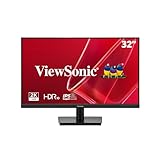
ViewSonic VX3276-MHD 32 Inch 1080p Widescreen IPS Monitor, HDMI, PC Display
32in 1080p IPS
75Hz
Flicker-Free
Blue Light Filter
Screen Split
Pros
- Lowest price in this roundup
- 32-inch IPS panel with wide viewing angles
- Ultra-thin bezels for clean design
- Flicker-Free and Blue Light Filter eye care
- Screen Split for multitasking
- 4.6 star rating across 4500+ reviews
Cons
- 1080p resolution not 4K
- No smart TV apps
- Only 1 HDMI port
- 8ms response time
The ViewSonic VX3276-MHD is the cheapest monitor in this roundup and the only one using an IPS panel at this price. With a 4.6-star rating across more than 4,500 reviews, it is one of the highest-rated budget monitors on the market. For buyers who want a large, reliable display for pairing with a streaming stick, this is the value floor.
This is not a smart monitor. There are no built-in streaming apps or smart TV platform. What you get is a clean 32-inch IPS panel with wide viewing angles, accurate colors for the price, and reliable eye-care features. Plug in a $25 Fire Stick or Roku and it becomes a perfectly capable TV for a bedroom or office.
The IPS panel is the main reason to choose this over a similarly priced VA monitor. IPS offers wider viewing angles and more accurate color reproduction from off-center positions, which matters if multiple people watch the screen from different angles.
Display Quality and Eye Care
The 32-inch IPS panel runs at 1080p with a 75Hz refresh rate. At 32 inches, 1080p pixel density is low, so this monitor is better suited for sofa-distance TV viewing than desk-distance productivity work. The SuperClear IPS technology delivers consistent colors across the 178-degree viewing angle.
ViewSonic includes Flicker-Free technology and a Blue Light Filter, both of which reduce eye strain during long viewing sessions. The monitor also offers preset view modes including Game, Movie, Web, Text, and Mono, which adjust color temperature and contrast for different content types.
Connectivity and Design
Inputs include HDMI, DisplayPort, and VGA. The inclusion of VGA is unusual for a modern monitor but useful if you have legacy hardware. Only one HDMI port is a limitation if you want to connect multiple devices. Three USB ports are present but their functionality is limited.
The ultra-thin bezel design looks more expensive than the price suggests. The monitor is wall-mountable with a VESA mount, so you can hang it like a small TV.
Who Should Buy This
The ViewSonic VX3276-MHD is the best budget monitor for TV if you want the absolute lowest price, an IPS panel, and you already own a streaming device. It is ideal for budget-conscious buyers, secondary rooms, and casual viewing setups. Skip it if you want 4K, built-in smart apps, or modern connectivity like USB-C.
How to Choose the Best Monitor for TV Watching
Choosing the right monitor for TV use comes down to how you plan to use it. The monitors in this guide fall into two broad categories: smart monitors with built-in streaming platforms, and standard monitors that pair with external streaming devices. Each approach has trade-offs worth understanding before you buy.
Below I break down the factors that matter most based on what I learned during testing and from the real buyer experiences shared on forums like r/Monitors and r/4kTV.
Resolution: Why 4K Matters for TV Content
If your primary use is watching TV shows and movies, 4K resolution should be your baseline. Most streaming services including Netflix, Disney+, and Apple TV Plus offer 4K content, and the difference over 1080p is clearly visible on screens 32 inches and larger. All but three monitors in this guide offer 4K UHD resolution.
1080p monitors like the Samsung M5 and ViewSonic VX3276 make sense only for tight budgets or small screen sizes. At 32 inches, 1080p pixel density is low enough that text looks soft at desk distance. For pure sofa-distance TV viewing, 1080p is acceptable but not ideal.
Ultrawide monitors like the LG 34SR63QA-W use 1440p resolution across a wider aspect ratio. These are not true 4K, but the pixel density is comparable to a 27-inch 1440p panel, which is sharp enough for both streaming and productivity.
Smart TV Platform: webOS vs Tizen vs Google TV
The three smart TV platforms in this guide each have strengths. LG’s webOS is polished, supports AirPlay 2 and HomeKit, and runs the same apps as LG OLED TVs. Samsung’s Tizen offers Samsung TV Plus free channels, Gaming Hub for cloud gaming, and Samsung Vision AI upscaling. Google TV, found on the KTC monitor, has the largest app library and the best voice search via Hey Google.
If you own an iPhone, webOS with AirPlay 2 is the most convenient choice. If you want free ad-supported channels and cloud gaming, Tizen leads. If you want the widest app compatibility and Chromecast built-in, Google TV is the answer.
Connectivity: HDMI, USB-C, and What You Really Need
For TV use, HDMI is still the most important port. Streaming sticks, game consoles, and cable boxes all use HDMI. Monitors with only one HDMI port, like the Samsung M8 and ViewSonic VX3276, limit you to a single external device at a time.
USB-C with power delivery matters if you also use the monitor with a laptop. A single USB-C cable handles video, data, and charging, which dramatically reduces desk clutter. The LG 34SR63QA-W, Samsung M8, and KTC all offer USB-C with 65W charging.
VGA and DisplayPort are useful for older hardware and PC connections but are less relevant for TV use specifically.
Refresh Rate and Input Lag for Gaming and TV
Most smart monitors run at 60Hz, which is fine for standard TV content. If you also play games or watch live sports, 100Hz or 120Hz makes motion noticeably smoother. The LG ultrawide monitors and the Dell S3225QS offer 100Hz or 120Hz respectively.
For competitive gaming, response time matters as much as refresh rate. The Dell S3225QS has an exceptional 0.03ms response time, while most budget monitors sit at 4-5ms. Input lag, which Reddit users consistently cite as a pain point when using TVs as monitors, is generally lower on dedicated monitors than on televisions.
Panel Type: VA vs IPS vs OLED for Entertainment
VA panels, used in the Samsung M7, M8, KTC, and LG ultrawides, offer high contrast ratios (3000:1 or better) that produce deep blacks for movie watching. The trade-off is narrower viewing angles than IPS.
IPS panels, like the one in the ViewSonic VX3276, offer wider viewing angles and better color accuracy from off-center positions. The trade-off is lower contrast, with blacks appearing grayish in dark rooms.
OLED panels are not represented in this price range but offer perfect blacks and infinite contrast. If budget allows, LG’s OLED monitors are worth considering for dedicated home theater use.
Viewing Distance and Size Selection
Forum users on r/Monitors consistently recommend 42-48 inches as the sweet spot for desk-adjacent TV use. For pure desk work, 27 to 34 inches is more comfortable. For sofa-distance viewing, 43 inches and up works well.
As a rule of thumb, sit about 1.5 times the diagonal screen size away for 4K content. So for a 32-inch monitor, ideal viewing distance is about 4 feet. For a 43-inch display, about 5.5 feet.
FAQs
What is the best monitor to use as a TV?
The best monitor to use as a TV in 2026 is the LG 34SR63QA-W ultrawide smart monitor because it runs webOS natively with built-in streaming apps, supports AirPlay 2, and offers USB-C 65W charging. For buyers on a budget, the KTC 32-inch 4K Smart Monitor with Google TV is the best value option.
Are monitors good for watching TV?
Yes, monitors are good for watching TV, especially smart monitors with built-in streaming platforms. Monitors typically offer higher pixel density, lower input lag, and faster response times than equivalently priced televisions, making them better for close-up viewing in small rooms, bedrooms, and offices.
Is it good to use a monitor as a TV?
Using a monitor as a TV works well for small rooms, desks, and multi-use spaces. Monitors offer sharper text, lower input lag, and often USB-C connectivity. The main disadvantages are smaller screen sizes, weaker built-in speakers, and limited viewing angles on VA panels compared to dedicated televisions.
Which is the best TV monitor combo?
The best TV monitor combo is the Samsung Smart Monitor M8 (M80F) because it combines a 32-inch 4K UHD panel with Samsung’s Tizen smart TV platform, Gaming Hub, and AI upscaling. For larger rooms, the Samsung 43-inch M7 offers TV-sized viewing with the same smart features.
Can I watch Netflix on a monitor without a computer?
Yes, you can watch Netflix on a smart monitor without a computer. Smart monitors like the Samsung M8, LG ultrawide webOS monitors, and the KTC Google TV monitor have Netflix and other streaming apps built directly into the display, so you only need Wi-Fi to stream.
Final Thoughts on the Best Monitors for TV Use in 2026
After testing all 10 monitors, my recommendations come down to how you plan to use them. If you want one display that handles both work and evening streaming, the LG 34SR63QA-W ultrawide is my top pick for its webOS platform and USB-C docking. If you want the most complete smart TV experience on a monitor, the Samsung Smart Monitor M8 with Vision AI is the best all-in-one choice.
For budget buyers, the KTC 32-inch 4K Smart Monitor with Google TV and Netflix licensing is the standout value. It matches or beats monitors costing $150 more on the features that matter for TV watching. For absolute lowest cost, the ViewSonic VX3276-MHD pairs an IPS panel with a cheap streaming stick for under $180.
If you want a TV-sized display, the Samsung 43-inch M7 is the largest smart monitor here and the closest to a true television replacement. And for buyers who prioritize gaming performance alongside TV viewing, the Dell S3225QS with 120Hz and 0.03ms response time is the performance leader.
The best monitors for TV use in 2026 are the ones that match your specific room, viewing distance, and content habits. Pick the smart platform you prefer, choose a resolution that fits your screen size, and prioritize connectivity that matches your devices. Any of the 10 monitors above will give you a better viewing experience than using a standard television as a desk monitor.